
Products · Project templates
ASEING PlantConfig Pro
Ready-made project templates for AutoCAD P&ID and Plant 3D: numbering, tags, annotation, title block, piping specs, isometrics and reports – from more than 20 years of plant engineering practice.
The default configuration is not a project start
Typical without a template
- Missing symbols and tag definitions
- Gaps between P&ID and 3D
- No check options and layout templates
- Missing or unsuitable piping specs
With PlantConfig Pro
- Create a template project and start working
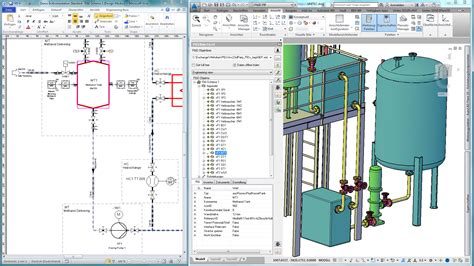
- Same tag structure in P&ID and 3D incl. mapping
- Title block to EN ISO 7200 with revisions
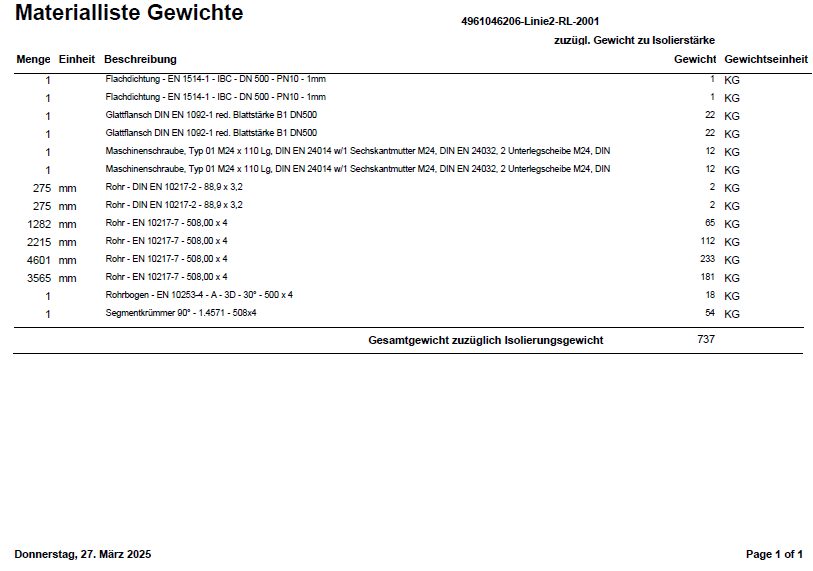
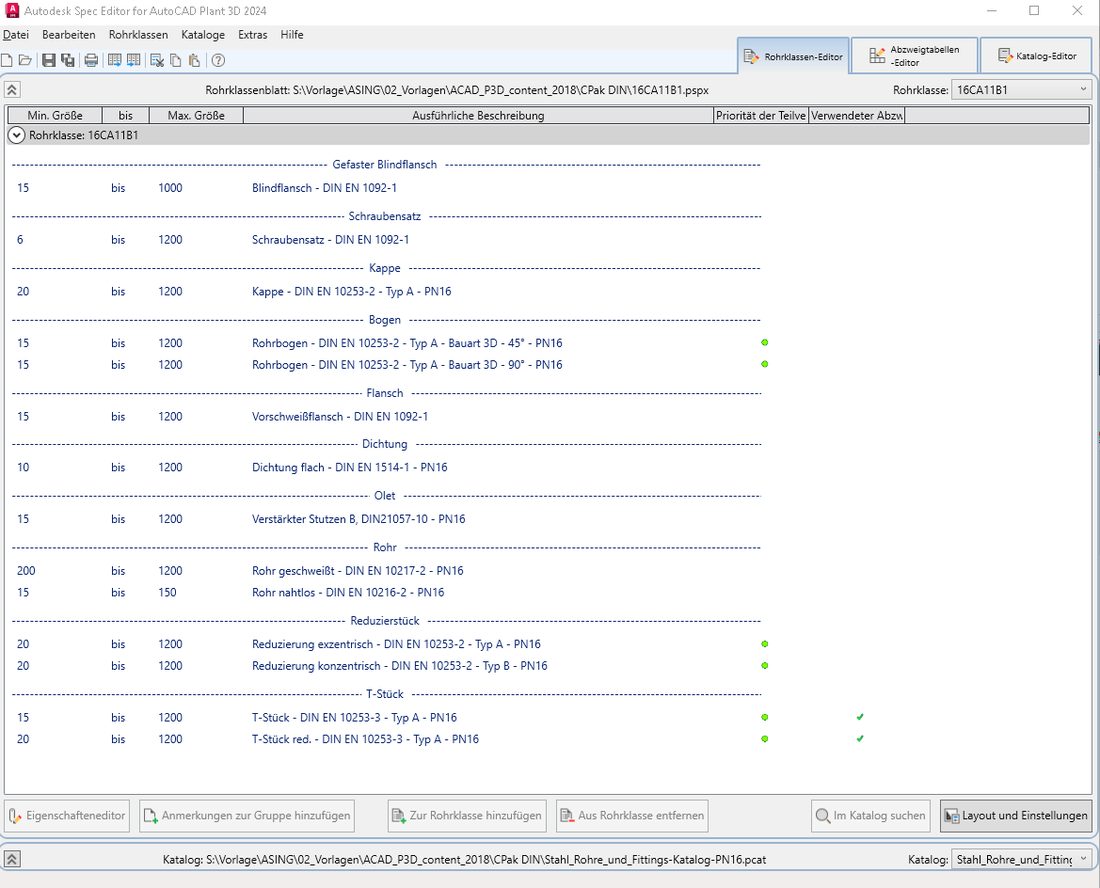
- Sample piping specs with weights and order texts
What's inside
Numbering systems
ISO 10628, AKS, KKS or RDS-PP – level system, fields as text or selection list.
Tags & transfer rules
Tag definitions with separators, transfer rules, tag updater.
Annotation
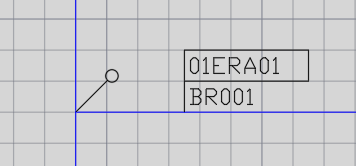
KKS line flag, annotation with frame, presets.
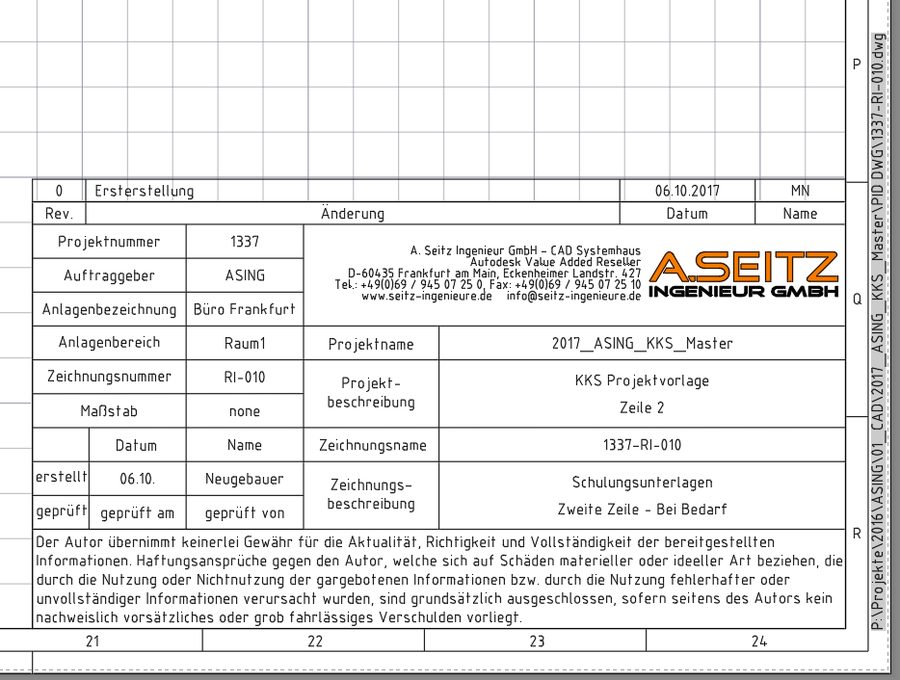
Title block EN ISO 7200
Field definitions, revisions as symbols with revision rows.
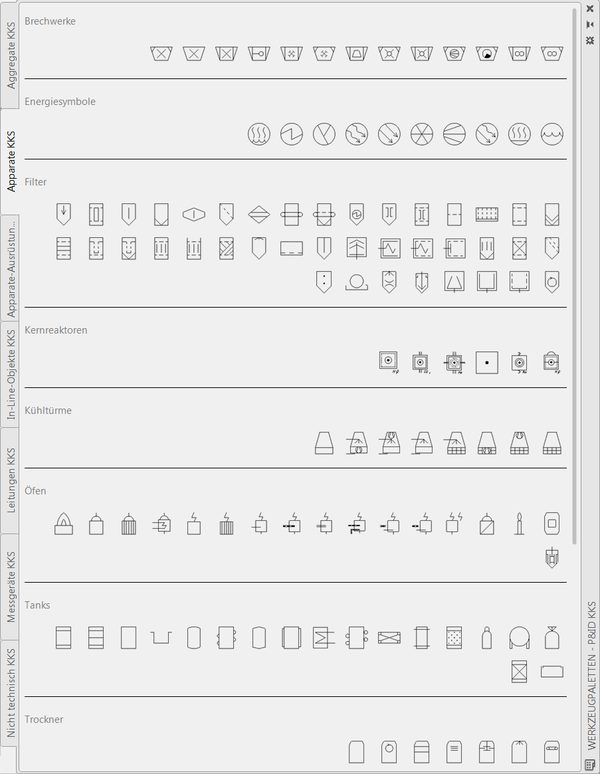
Symbol palettes
Equipment, machinery, I&C, inline objects, valves, lines by fluid.
Piping specs
Enameled steel, DIN 2873 – with weights and order texts, sheet layout based on DIN 21057.
Isometric & ortho
Iso styles Check, Final, Spool, Stress in A1–A3; ortho templates.
Reports & checks
15 Report Creator reports plus P&ID ↔ 3D project reports.
Your identification system – already set up
More about the systems in the Plant Engineering Infobase.
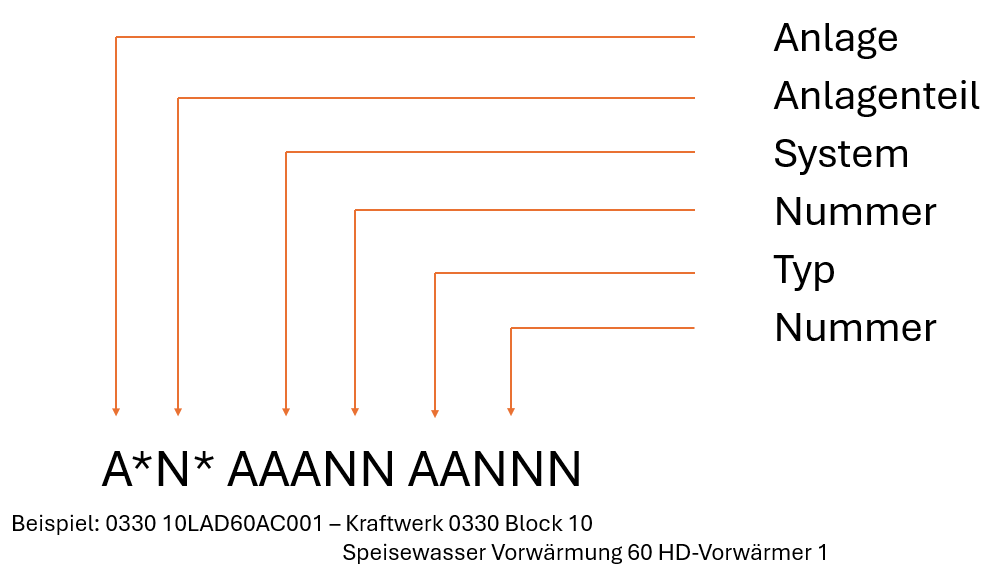
KKS
Power plant identification system, AKZ-compatible – e.g. 0330 10LAD60AC001.
AKS
Numbering by plant area; also shows how to convert existing projects.
RDS-PP
Reference designation for power plants via freely configurable levels.
ISO 10628
Lean basis for flow diagrams in chemicals, pharma and industry.
What it looks like in the project
Prices
Company license for all Plant 3D users in your company – the price depends on the number of users. Download access for 1 year – download new versions during the term, then continue using them indefinitely.
up to 3 users
All templates: AKZ master template, all engineering configurations and topic templates, palettes, DWT templates, 15 reports, installation aid, layout customization (title block/logo).
4 – 10 users
All templates: AKZ master template, all engineering configurations and topic templates, palettes, DWT templates, 15 reports, installation aid, layout customization (title block/logo).
11 users and more
All templates: AKZ master template, all engineering configurations and topic templates, palettes, DWT templates, 15 reports, installation aid, layout customization (title block/logo).
Also includes ASEING PlantPlus – around 100 additional commands for Plant 3D.
| Plant 3D users | individually | in a bundle |
|---|---|---|
| up to 3 users | €2,990 | |
| 4 – 10 users | €4,690 | |
| 11 users and more | €7,590 |
Delivery: customer package with your title block and logo, installation routine with automatic path adjustment, setup via remote access. Individual template (one engineering configuration or topic template): on request. To go with it: piping catalogs and training at the Autodesk Authorized Training Center.
Frequently asked questions
What is included in PlantConfig Pro?
All templates: AKZ master template, all engineering configurations and topic templates, tool palettes, DWT templates, 15 Report Creator reports, installation aid and customization of title block and logo.
Which identification systems are set up?
Power plant identification system KKS, plant identification AKS, RDS-PP and ISO 10628 – each with tags, transfer rules and annotation.
Can we use our own title block?
Yes. Layout customization of the title block and logo is included in PlantConfig Pro; the title block follows EN ISO 7200 with revision rows.
Are individual templates available?
Yes – one engineering configuration (Basic, AKS, KKS, RDS-PP) or a topic template such as Valves & Equipment or Title Block, on request.
How do we learn to work with the template?
In our training courses AutoCAD P&ID Setup and Plant 3D Administration – or directly in the P&ID Configuration video course.
Before you go …
Don't miss any training dates, C³ invitations and news on AutoCAD Plant 3D and P&ID.
Our newsletter only arrives when there's something important – concise and with tips from practice.
Standards status for this page 6 standards · researched September 2026
| Standard | Contents | Current edition | Replaced / successor |
|---|---|---|---|
| DIN EN ISO 7200 | Technical product documentation – Data fields in title blocks and document headers | DIN EN ISO 7200:2004-05 | replaces DIN 6771-1:1970-12 |
| DIN EN ISO 10628-1 | Diagrams for the chemical and petrochemical industry – Part 1: Specification of diagrams | DIN EN ISO 10628-1:2015-04 | replaces DIN EN ISO 10628:2001-03 |
| DIN EN ISO 10628-2 | Diagrams for the chemical and petrochemical industry – Part 2: Graphical symbols | DIN EN ISO 10628-2:2013-04 | replaces DIN EN ISO 10628:2001-03 |
| DIN 2873 | Enameled steel flanged pipes and fittings – PN 10 and PN 25 | DIN 2873:2002-06 | replaces DIN 2873:1993-11 |
| DIN 21057 | Piping specs | DIN 21057-1:2023-08; Parts 5/6:2016-12; Parts 10–12:2026-04/-05 | replaces PAS 1057; DIN 21057-1:2016-12; DIN 21057-10 to -12:2017-04 |
| DIN 2403 | Identification of pipelines according to fluid conveyed | DIN 2403:2025-12 | replaces DIN 2403:2018-10 |
Researched at DIN Media, ISO, IEC and ASME, as of September 2026. Before binding use, please check the current edition with the standards publisher. Overview of all standards: Plant Engineering Infobase · Standards status.