
Training
From CAD beginner to BIM project manager
Classroom training, video course or both: we build your team's skills step by step – with materials drawn from plant engineering practice.
Three paths to your knowledge
Which training – which access?
- AutoCAD P&ID Fundamentals → video course P&ID Application + course manual T1 · AutoCAD P&ID Application
- AutoCAD P&ID Setup → video course P&ID Configuration + course manual T3 · P&ID / Plant 3D Setup
- AutoCAD Plant 3D Fundamentals → video course Plant 3D Application + course manual T2 · AutoCAD Plant 3D Application
- Plant 3D Configuration & Data Management → video course Plant 3D Project Configuration + course manual T3 · P&ID / Plant 3D Setup
- Plant 3D Database Management → video course Plant 3D Report Creator
- Plant 3D Piping Spec Workshop → video course Plant 3D Piping Spec Administration + course manual T4 · Plant 3D Administration
- Navisworks Fundamentals → course manual T5 · Autodesk Navisworks
- ReCap Pro Fundamentals → course manual T6 · Autodesk ReCap Pro
Training
With a trainer, in a group or as in-house training – 1 to 4 days. Dates and booking in the training calendar.
Video courses
At your own pace: lessons as tiles, ready to play immediately after login.
Technical literature & manuals
Manuals as PDF and course manuals T1–T6 for reference.
University, vocational school or apprenticeship? Infobase, exercises with solutions and calculators for the classroom: For teaching and training ›
Training or Online Package?
Two offers, clearly separated: training with a trainer includes the matching online offers free of charge. The Online Package unlocks all videos and manuals for self-paced learning – without a trainer.
| Training (online or in person) | Online Package Video Courses & Manuals | |
| Learning format | with a trainer – live online, in Frankfurt or as in-house training at your site | self-paced learning, at your own pace, any time |
|---|---|---|
| Contents | one training topic with exercises and questions for the trainer | all 6 video courses and all course manuals – no topic restrictions |
| Free bonus | the matching online offers for the training topic: video course and course manual, 3 months | – |
| Access | 3 months' access to the matching videos and manuals | 12 months' access to all videos and manuals |
| Price | per course, see training calendar | €2,990 instead of €4,134 – order |
Our training courses on P&ID, Plant 3D, Navisworks and ReCap
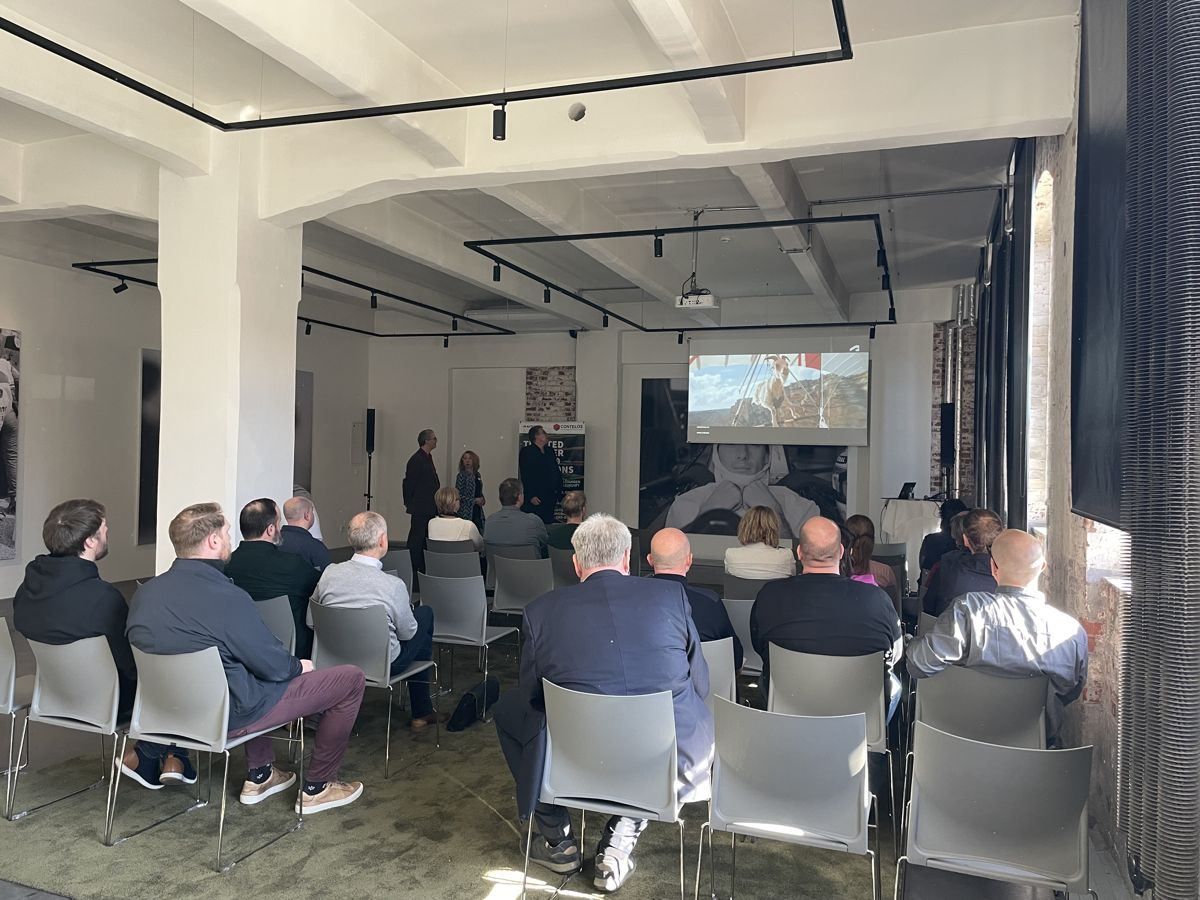
We deliver these training courses ourselves – preferably live online, in parallel in Frankfurt, and as in-house training at your site; with 3 months of video course or course manual included.
AutoCAD Plant 3D Fundamentals
Create projects, model piping, and generate orthos, isos and reports.
Plant 3D Configuration & Data Management
Set up Plant 3D projects centrally and link data between P&ID and 3D.
Plant 3D Piping Spec Workshop
Build piping specs and catalogs to your own requirements – with real catalog data.
Plant 3D Database Management
Manage project databases and migrate from SQLite to SQL Server Express.
AutoCAD P&ID Fundamentals
Create, tag, check and output P&IDs with AutoCAD P&ID.
AutoCAD P&ID Setup
Configure P&ID projects to your company standard – from classes to title block.
Navisworks training
Combine models, check for clashes, plan the construction sequence in 4D.
ReCap Pro Training
Import and clean up point clouds and prepare them for Plant 3D, Revit or Navisworks.
Plant 3D Scripting & AutoLISP
Understand, adapt and write your own Python script components and AutoLISP routines – explained using the scripts from our technical books.
Which topic? All formats at a glance
Each row links training course, video course, book and manual on the same topic.
| Topic | Training | Video course | Technical literature | Manual |
|---|---|---|---|---|
| P&ID Application Beginner | AutoCAD P&ID Fundamentals | 56 lessons | Basic Training AutoCAD P&ID | T1 |
| P&ID Configuration Advanced | AutoCAD P&ID Setup | 100 lessons | Plant 3D Compendium – Setup | T3 |
| Plant 3D Application Beginner | AutoCAD Plant 3D Fundamentals | 64 lessons | Basic Training AutoCAD Plant 3D | T2 |
| Plant 3D Project Configuration Advanced | Plant 3D Configuration & Data Management | 65 lessons | Plant 3D Compendium – Setup | T3 |
| Plant 3D Report Creator Advanced | Plant 3D Database Management | 23 lessons | Plant 3D – Report Creator | T4 |
| Plant 3D Piping Spec Administration Advanced | Plant 3D Piping Spec Workshop | 40 lessons | Plant 3D – Piping Specs and Catalogs | T4 |
Overall concept: discipline – software – training
How knowledge, software and training fit together.
Discipline
Fundamentals, standards and identification per discipline in the Plant Engineering Infobase.
Software
Which Autodesk product for which discipline – with training dates.
Training
All open dates, booking requests go directly to our sales team.
Learning path
Level 1 · User
AutoCAD, plant engineering fundamentals, P&ID and Plant 3D application.
Level 2 · Administrator
Project, symbol library, database, Report Creator.
Level 3 · Developer
Python scripting, catalog components, equipment scripts.
Level 4 · Coordination
Navisworks, clash detection, coordination of disciplines.
Learning with the online calculators – for apprentices and students
Each calculator explains the terms, suggests experiments ("What happens if …?"), names typical mistakes and includes an exercise with solution. Free and without sign-in (Piping Spec Calculator with a customer account); the fundamentals are covered in the Plant Engineering Infobase.
Pipe sizing & pressure drop
Why doubling the flow means almost four times the pressure drop – try it yourself, with an exercise.
Thermal expansion
How much a line expands in operation and how to compensate for it – steel versus plastic.
Pipe weight
Pipe, contents, insulation: what the support really carries – in operation and during the pressure test.
Support spans
Why thick pipes may span farther than thin ones – deflection you can get a feel for.
Piping specs
How thick a pipe has to be – pressure, temperature, material and allowances.
Unit converter DN · Class · material
Read European and American standards: DN, NPS, schedule, PN, Class.
Formats
Live online
Our preferred format: efficient, no travel and resource-friendly – with a trainer, exercises and questions just like in the classroom; also available in half-day blocks.
Training room Frankfurt am Main
Up to 8 CAD workstations, focused learning – in parallel with the online sessions.
On site at your company
As in-house training at your company, with your projects and your configuration.
Contact us directly
Write to us or give us a call – we'll get back to you within one business day.
Before you go …
Don't miss any training dates, C³ invitations and news on AutoCAD Plant 3D and P&ID.
Our newsletter only arrives when there's something important – concise and with tips from practice.